Extensions4 min read
Why clipboard extensions need boundaries
You copy API tokens, customer records, and private messages every day. Here is how WebAssembly sandboxing lets you format and transform snippets without leaking your clipboard.
By ClipsX
Your clipboard holds your company’s secrets
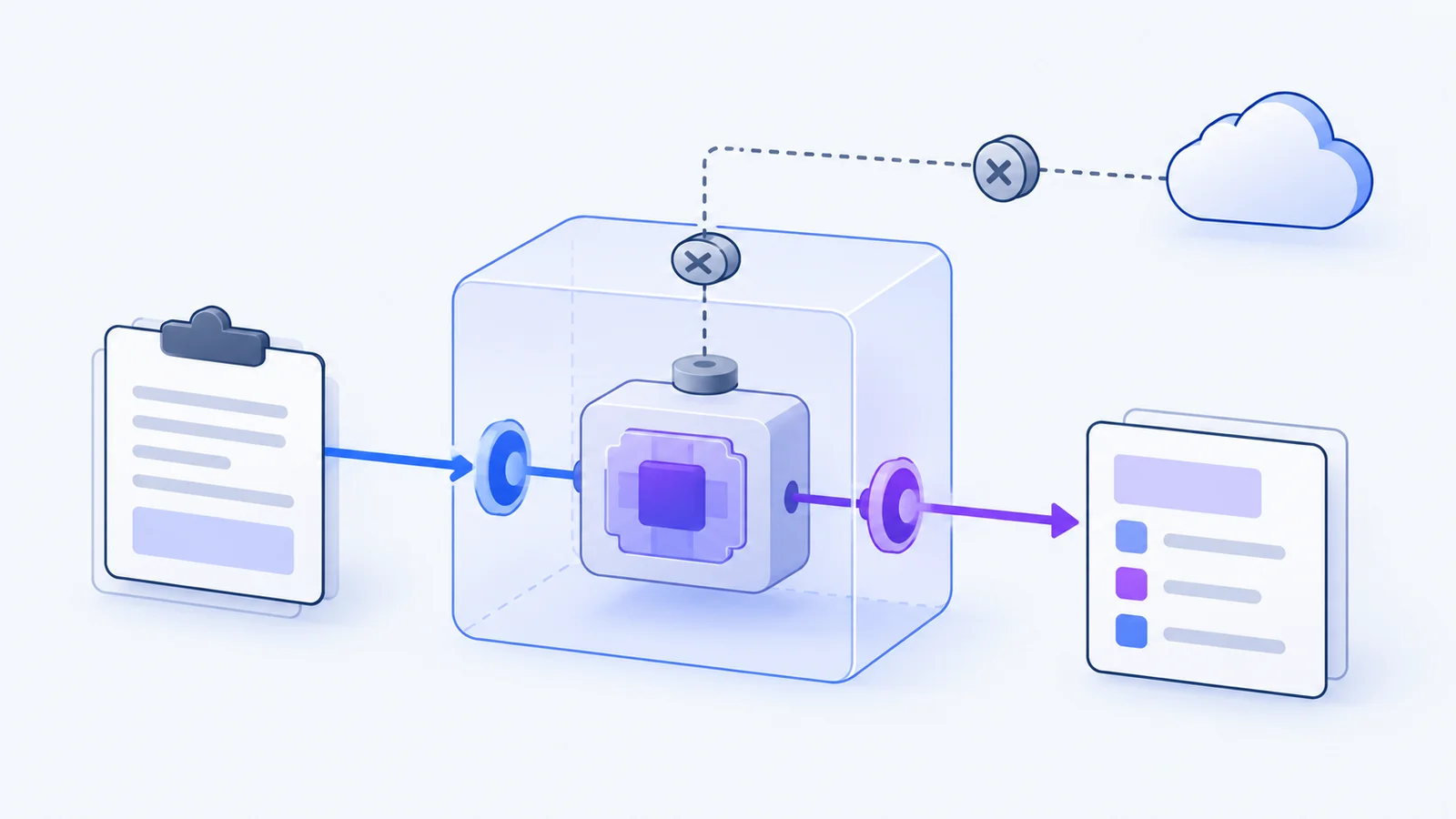
Think about the last five things you copied. A production database URL with embedded credentials. A customer support conversation containing personal emails. A messy JSON blob from an API call that you want to format into readable text. Installing a community plugin to pretty-print that JSON is convenient, but in traditional desktop tools, that plugin often runs with full system privileges. One unvetted dependency can quietly siphon every copied password to a remote server.
ClipsX rejects the “trust all plugins” approach. Every extension runs inside an isolated WebAssembly sandbox with a host-enforced boundary. The host controls execution lifecycle and available capabilities. Instead of granting blanket machine access, each extension receives only the specific clip you select, with zero hidden access to your wider history, filesystem, or operating system.
Declare capabilities, not blanket permissions
A formatting operation only needs an in-memory string buffer. A code translation tool may need access to an approved language model. An issue exporter needs permission to reach a single webhook URL. These are fundamentally different operations with very different risk profiles. The name or category of an extension should never be an excuse for unchecked system access.
Before execution, ClipsX evaluates whether an operation applies to the active clip completely offline. That pre-flight check has zero access to network sockets, background state, or model APIs. Execution runs on a separate, capability-gated path. For developers and users alike, this ensures that simply inspecting an input never triggers an unexpected network transmission or background side effect.
Network access is an explicit data boundary
Permission-gated networking enables valuable third-party integrations, but approved access is still external transmission. The moment an extension sends formatted text to a cloud endpoint, that data is subject to external retention and privacy policies. Before processing sensitive customer records or proprietary code, inspect the exact destination hostname and provider requirements.
A local-first clipboard manager does not make external connections magically offline. Conversely, a programmable tool does not need internet access just because it performs complex transforms. Test new extensions with harmless synthetic snippets first. If a task only requires text manipulation, choose an offline WebAssembly transform that leaves network capabilities disabled entirely.
A signature verifies identity, not intention
The ClipsX registry uses cryptographic signatures and catalog hashes to guarantee package authenticity. This ensures that the code downloaded onto your computer exactly matches what the author published, preventing man-in-the-middle tampering. However, a valid cryptographic signature does not guarantee that the author’s business logic is bug-free or safe for your company’s compliance requirements.
Treat provenance and runtime sandboxing as complementary defenses. Package provenance tells you who built the tool; the WebAssembly sandbox ensures that tool cannot exceed its granted boundaries. Always inspect transformed outputs before pasting them into production environments, and remember that even model-backed operations require human review before executing sensitive commands.
Guard against silent update drift
Supply chain attacks frequently target trusted packages: an innocent utility gets acquired or updated, and a new version quietly adds aggressive telemetry. ClipsX monitors extension manifests and flags capability expansions during updates. Familiarity with a tool’s name should never grant permanent, unmonitored consent for newly requested permissions.
Keep your extension library lean. Disable utilities you no longer use, and distinguish manual, one-off transformations from automated background triggers. In ClipsX, automated runs require explicit rule matching, and outputs remain tied to the parent clip rather than overwriting your original history. This structure keeps experimental workflows cleanly separated from your verified record.
The four-step vetting checklist
Whether you are a developer reviewing an open-source tool or an engineer setting up your daily workspace, run through these four practical checks before enabling any new clipboard extension:
- What exact input does this transform need, and does it produce an inspectable local output?
- Does the extension request network endpoints, model providers, or file writes that its core task does not require?
- Can you test the tool with a synthetic sample clip and revoke its permissions immediately if needed?
- Is the package cryptographically signed, and have its required capabilities remained unchanged since your last review?
Sources & next steps
Keep exploring
All articles
Assistant workflows4 min read
Let your assistant find what you already copied
Connect Claude Code, Codex, or any MCP client to your clipboard. Turn copied snippets into grounded engineering handoffs, coding context, and research briefs.
Read article
Local AI4 min read
Meaning Search, on your machine
Find a clip by the idea you remember. A practical guide to exact search, local embeddings, and Ollama setup.
Read article
Privacy4 min read
Local-first is a data boundary, not a badge
What stays on your device, what an optional account changes, and what to check before connecting a service.
Read article